SMS Gateway API Services in Afghanistan
Use SMS Gateway with API to send promotional and service SMS messages to your clients in Afghanistan. Our flexible API will allow you to quickly launch worldwide campaigns of any scale. Advertise to specific segments of your audience and increase revenue.
OUR CLIENTS
Messaggio is trusted by 400+ customers
We assist businesses in achieving outstanding results in messenger marketing.
Try our SMS Marketing solution to engage and sales












SMS API Features in Afghanistan
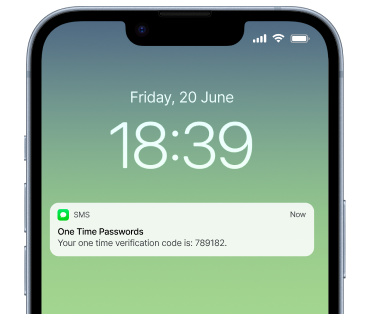
One Time Passwords
Ensure business security and protect customer data with OTP. Important notifications via SMS or messengers
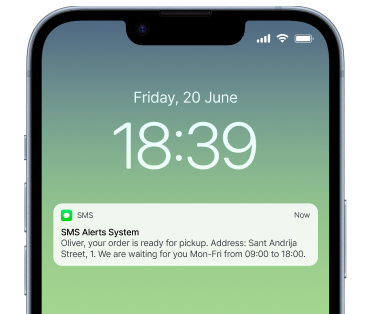
SMS Alerts System
Inform your users and clients about the status of delivery and order, to confirm the order in the online store and other purposes
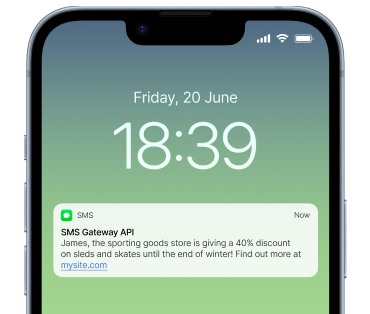
SMS Gateway API
Bulk SMS via our flexible API — launch large-scale campaigns without worrying about the deliverability and speed of sending messages
Worldwide campaigns
Set up international SMS campaigns worldwide. Engage your clients and increase loyalty
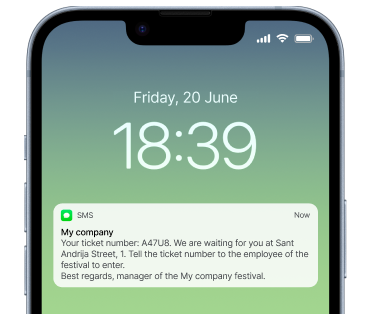
SMS API
Set up automatic sending of messages via SMS API. We have prepared detailed technical documentation for developers
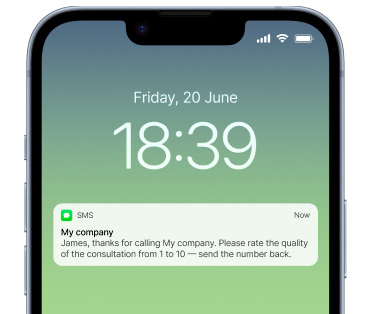
Why Messaggio SMS Gateway (API)
Use all the capabilities of our multi-channel messaging platform, including SMS API for customer notifications. Scale your SMS marketing

Flexible SMS API
Receive SMS messages with our SMS Gateway. We provide detailed technical documentation for SMS API.
Worldwide campaigns
Create and launch campaigns of any scale. Promotional campaigns, One Time Passwords (OTP).
Reliability and stability
You can be sure that our SMS Gateway is a reliable and stable solution for sending messages to customers.

24/7 support
If you have any questions about the platform, you can contact our support team at any time. We respond quickly and are always in touch.
Easy to start
Register an account with Messaggio for free. Get an API key to use all the features of our SMS Gateway for your messenger marketing strategy.
SMS API Pricing in Afghanistan
| Operator | Price per SMS, eur |
|---|---|
| AWCC | € 0.44909 |
| ETISALAT | € 0.35455 |
| MTN | € 0.28545 |
| ROSHAN | € 0.41818 |
| SALAAM | € 0.27636 |
The price for the SMS API is an estimate. Please contact our account manager for the exact price for the Afghanistan
SMS API Cost in Afghanistan
Marketing and service messages to clients. Favorable rates and special prices. Use our universal SMS gateway in Afghanistan
- Omnichannel campaigns
- Special prices
- Integration with CRM
- Fast and reliable delivery
{- "recipients": [
- {
- "phone": "35699554433"
}, - {
- "phone": "123-bad-phone"
}
], - "channels": [
- "whatsapp",
- "vk",
- "sms",
- "flashcall",
- "mobileid",
- "bottelegram"
], - "options": {
- "ttl": 60,
- "external_id": "messaggio-acc-external-id-0"
}, - "viber": {
- "from": "Viberfake",
- "label": "promotion",
- "content": [
- {
- "type": "text",
- "text": "Text of your Viber message"
}, - {
- "type": "otp",
- "otp": {
- "language": "en",
- "type": "basic",
- "basic": {
- "pin": "343536AB"
}
}
}
]
}, - "sms": {
- "from": "< CODE API VALUE >",
- "content": [
- {
- "type": "text",
- "text": "Text of your SMS message"
}
]
}, - "flashcall": {
- "from": "< CODE API VALUE >",
- "content": [
- {
- "type": "text",
- "text": "1234"
}
]
}, - "whatsapp": {
- "from": "< CODE API VALUE >",
- "content": [
- {
- "type": "location",
- "location": {
- "longitude": 27.380583,
- "latitude": 33.631839,
- "name": "Location name",
- "address": "Location address"
}
}
]
}, - "vk": {
- "from": "< CODE API VALUE >",
- "content": [
- {
- "type": "text",
- "text": "Text of your VK message"
}
]
}, - "mobileid": {
- "from": "< CODE API VALUE >",
- "content": [
- {
- "type": "auth",
- "auth": "push"
}
]
}, - "telegram": {
- "from": "5967047816:A232IjzIBjrjVv3XfnGF1mkpt3fvvzeTgVQ",
- "content": [
- {
- "type": "video",
},
]
}, - "telegram-otp": {
- "from": "5967047816:A232IjzIBjrjVv3XfnGF1mkpt3fvvzeTgVQ",
- "content": {
- "code": "343637AB"
}
}
}# The code is based on the 'SMS simple example body' curl --location "https://msg.messaggio.com/api/v1/send" \ -H "Accept: application/json" \ -H "Content-Type: application/json" \ -H "Messaggio-Login: < YOUR MESSAGGIO BULK LOGIN >" \ --data'< payload >'
# The code is based on the 'SMS simple example body'

import json
import http.client


rdata = Payload  # The dictionary with the contents and
                 # structure identical to the payload JSON
headers_passed = {'Accept': 'application/json',
                  'Content-Type': 'application/json',
                  'Messaggio-Login':'< YOUR MESSAGGIO BULK LOGIN >'}

try:
    print("Openning connection.")
    connection = http.client.HTTPSConnection('msg.messaggio.com')
    print("Connection openned.
Preparing request.")
    connection.request(
        'POST',
        '/api/v1/send',
        body = json.dumps(rdata, ensure_ascii = False),
        headers = headers_passed
    )
    print("Executing request.")
    response = connection.getresponse()

    print("The response:
{}".format(json.loads(response.read().decode())))
except Exception as err:
    print("Error occured:")
    raise
finally:
    connection.close()
    print("Connection closed.")
/*
The following example is based on 'SMS simple example body' payload
*/

package main

import (
    "bytes"
    "encoding/json"
    "fmt"
    "io/ioutil"
    "net/http"
)

// Pre-preparing data
type SMS_Content struct{
  Type string `json:"type"`
  Text string `json:"text"`
}
type SMS_Message struct{
  From string           `json:"from"`
  Content []SMS_Content `json:"content"`
}
type Message struct{
  Recipients []Recipient `json:"recipients"`
  Channels []string      `json:"channels"`
  SMS SMS_Message        `json:"sms"`
}
type Recipient struct {
  Phone string `json:"phone"`
}


func main() {
    // Preparing data for request
    message := Message{
  Recipients: []Recipient{
      Recipient{"35699554433"},
  },
  Channels: []string{"sms"},
  SMS: SMS_Message{
      From: "SMSTest",
      Content: []SMS_Content{SMS_Content{"text", "Sample fake GO text for the example"}},
  },
    }
    data, error := json.Marshal(message)

    // Preparing request
    request, error := http.NewRequest("POST", "https://msg.messaggio.com/api/v1/send", bytes.NewBuffer(data))
    if error != nil {
  fmt.Println("Error occured: ", error)
  return
    }
    request.Header.Add("Accept", "application/json")
    request.Header.Add("Content-Type", "application/json")
    request.Header.Add("Messaggio-Login", "< YOUR MESSAGGIO BULK LOGIN >")

    // Executing request
    client := &http.Client{}
    response, error := client.Do(request)
    if error != nil {
  fmt.Println("Error occured: ", error)
  return
    }
    defer response.Body.Close()

    // Reading response
    body, error := ioutil.ReadAll(response.Body)
    if error != nil {
  fmt.Println("Error occured: ", error)
  return
    }
    fmt.Println(string(body))
}
# The code is based on the 'SMS simple example body'

require "uri"
require "json"
require "net/http"

url = URI("https://msg.messaggio.com/api/v1/send")

payload = {
  "recipients":[
    {"phone":"35699554433"}
  ],
  "channels":[
    "sms"
  ],
  "sms":{
    "from":"< CODE API VALUE >",
    "content":[
      {
        "type":"text",
        "text":"Sample fake Ruby text for the example"
      }
    ]
  }
}

http = Net::HTTP.new(url.host, url.port);
http.use_ssl = true;
request = Net::HTTP::Post.new(url)
request["Accept"] = " application/json"
request["Content-Type"] = " application/json"
request["Messaggio-Login"] = "< YOUR MESSAGGIO BULK LOGIN >"
request.body = JSON.dump(payload)

response = http.request(request)
puts response.read_body
// The code is based on the 'SMS simple example body'

// const fetch = require("node-fetch"); // Uncomment for 'fetch' method

let Payload = {
    recipients: [{phone: "35699554433"}],
    channels: ["sms"],
    sms: {from: "< CODE API VALUE >",
    content: [{type: "text", text: "Sample fake JS text for the example"}]}
}

// Send request with 'Fetch' method
var headers_passed = new fetch.Headers();
headers_passed.append('Accept', 'application/json')
headers_passed.append('Content-Type', 'application/json')
headers_passed.append('Messaggio-Login', '< YOUR MESSAGGIO BULK LOGIN>')

var rdata = JSON.stringify(Payload);
var request_options = {
    method: 'POST',
    headers: headers_passed,
    body: rdata,
    redirect: 'follow'
};

fetch('https://msg.messaggio.com/api/v1/send', request_options)
    .then(response => response.text())
    .then(result => console.log(result))
    .catch(error => console.log('error', error));


// Send request with 'Request' method
var request = require('request');
var options = {
    'method': 'POST',
    'url': 'https://msg.messaggio.com/api/v1/send',
    'headers': {
  'Accept': 'application/json',
  'Content-Type': 'application/json',
  'Messaggio-Login': '< YOUR MESSAGGIO BULK LOGIN>'
    },
    'body': JSON.stringify(Payload)};
request(options, function (error, response) {
    if (error) throw new Error(error);
    console.log(response.body)
});
<?php
/*The code is based on the 'SMS simple example body'*/

/*Preparing data*/
$recipients =  array(array("phone" => "35699554433"));
$channels = array("sms");
$sms = array("from" => "< CODE API VALUE >",
	     "content" => array(
		 array("type" => "text", "text" => "Sample fake PHP text for the example")
));
$data = array("recipients" => $recipients,
	      "channels" => $channels,
	      "sms" => $sms);
$rawdata = json_encode($data);

/*Preparing request*/
$curl = curl_init("https://msg.messaggio.com/api/v1/send");
curl_setopt($curl, CURLOPT_HEADER, false);
curl_setopt($curl, CURLOPT_RETURNTRANSFER, true);
curl_setopt($curl, CURLOPT_HTTPHEADER,
	    array("Content-Type: application/json",
	    "Accept: application/json",
	    "Messaggio-Login: < YOUR MESSAGGIO BULK LOGIN >"));
curl_setopt($curl, CURLOPT_POST, true);
curl_setopt($curl, CURLOPT_POSTFIELDS, $rawdata);

/*Executing request*/
$json_response = curl_exec($curl);

/*Reading the response and closing connection*/
$status = curl_getinfo($curl, CURLINFO_HTTP_CODE);
curl_close($curl);
$response = json_decode($json_response, true);
print_r($response);
?>
Messaggio SMS API for Developers
With our powerful and functional SMS Gateway in Afghanistan, you can use Messaggio SMS API for integrations with your CRM or other software.
Our SMS Gateway API allows you to send messages to clients via various mobile operators in Afghanistan. To do this, you need your own customer base. Test all the possibilities of messenger marketing with Messaggio — try our SMS Gateway in Afghanistan now.





Integrate your CRM or software via our API
Scale your customer outreach across the Afghanistan. Connect our reliable, developer-friendly SMS API to your existing systems. Effortlessly automate marketing workflows, send transactional updates, and engage customers wherever they are
See moreFrequently Asked Questions
Yes, you can integrate our API with your CRM or other software. We have ready-made integrations available. Please check the «Integrations» section.
Our API is simple and easy to use for developers of all levels. We also provide detailed technical documentation.
You can use our SMS API to send messages worldwide, including to the Afghanistan.
The cost is based on the number of messages delivered. Please note that the cost of messages depends on the country to which they are sent.
Yes, you can use our API to send both marketing and service messages. You can also create multi-channel campaigns, from cheaper channels to more expensive ones. It saves your budget.
The website or CRM system sends data to the provider via a standard REST/HTTP request. Three elements are required to send a message: a phone number, text, and a security key (API key). You can create any API usage scenarios to suit your specific needs.
Contact us
We provide you with access to the platform